How to Connect Claude to Video Editing (And What to Finish by Hand)
Claude can decide what belongs in your cut. It cannot cut. Here is how to wire it into a real editing workflow, and which parts of the timeline to keep.
Claude is good at deciding what belongs in a cut. It is not good at cutting. That gap is the whole story of connecting Claude to video editing, and most guides skip past it because they only test talking head footage where the transcript is the edit.
If you work in motion, the gap matters more. Your project has caption tracks, keyframed titles, a logo sting, three aspect ratios, and a brand kit that has to survive every version. Claude cannot touch any of that directly. What it can do is read your footage as language, argue about structure, and hand you a decision list you drop onto a timeline. Treat it as a fast assistant editor with no hands and the connection becomes useful instead of disappointing. Here is how the handoff works, what to connect it to, and which parts to keep yourself.
In short
- Turn footage into text first. Claude reads transcripts, not pixels, so a timecoded transcript is the real input.
- Connect Claude to a tool that holds the media, usually through an MCP server, so its picks map to real clips.
- Ask for a decision list with timecodes, not a finished video. Rough cut order, keeper takes, cut lines, caption copy.
- Import that list into an editor and build the actual timeline there, with layers, keyframes, and easing.
- Keep motion work, brand kit, and ratio versions manual or templated. Claude has no eye for framing.
Quick answer:
- Claude connects to video editing through MCP servers or plugins that expose your media and timeline as tools it can call. On its own it has no timecode, no media access, and no way to write a sequence file.
- The reliable pattern is transcript in, decision list out. Claude picks takes, orders beats, writes caption copy and titles. An editor turns that into layers and keyframes.
- Anything visual stays with you. Framing, focus, easing curves, logo timing, and ratio crops are judgment calls Claude cannot see.
What Claude can actually do once it is connected
Split the job into two piles. Language work and picture work.
Language work is where Claude is strong. Given a transcript, it will find the story in an hour of rambling, mark the sentence where the point actually lands, cut filler, propose a cold open, and write three hook variants for the same body. It will name your chapters, write caption copy, draft lower third text, and produce an SRT that matches the trimmed version rather than the raw one. Feed it three interviews and it will build a thematic order across all of them, which is the most tedious task in a documentary style edit.
Picture work is where it is blind. Claude does not know that take two is soft, that the boom dips into frame at 0:42, or that your title collides with the subject's head in the vertical crop. It cannot judge an easing curve, and it will happily suggest a jump cut that lands on a blink. The practical rule: let Claude decide what the video says, and decide for yourself what it looks like.
Step 1: give Claude something it can read
Nothing works until your footage is text. A timecoded transcript with speaker labels is the minimum, and word level timings are much better because they let Claude propose cut points that do not clip a word in half.
Two ways to get there. Transcribe inside your editor so the text stays attached to the clip, or run the file through a video to text tool and paste the result into Claude with the timecodes intact. The second route is fine for a single file. For a multi cam shoot, keep the transcription attached to the media, because the mapping from text back to clips is the part that breaks.
Strip nothing before Claude reads it. Filler words, false starts, and the take where someone laughs and restarts are exactly the signal it uses to tell a good take from a bad one.
Step 2: connect it to something that holds the media
A raw chat window can only give you notes. To get an edit, Claude needs a tool on the other end that owns the footage, and that connection almost always runs through MCP, the protocol Claude uses to call external tools.
Three shapes of connection are common now:
- Editor MCP servers. You add an endpoint in Claude's connector settings, import footage into that service once, and then prompt in plain language. Claude calls the service, the service returns a sequence, and you export FCPXML, OTIO, XML, or EDL to relink in your NLE.
- NLE plugins. Premiere and Resolve plugins expose the open sequence so Claude can read clip names and apply operations like removing silences or reordering. Useful, and tied to a desktop install.
- Claude Code with ffmpeg. If you are comfortable in a terminal, Claude Code writes and runs ffmpeg commands against local files. It is the most flexible option and the easiest to point at the wrong file, so work on copies.
Whichever you pick, the connection is only worth setting up if the tool can hand back something structured. A service that returns a flat MP4 has thrown away everything you needed to keep editing.
Here is that handoff running end to end. Claude Code reads a public workflow API, builds a product photo ad workflow against it, and runs forty ad variants overnight without anyone opening a timeline.
Step 3: ask for a decision list, not a video
This is the prompt habit that changes the output quality most. Do not ask Claude to edit the video. Ask it for the artifacts an editor can act on.
Good asks look like this. Give me the six clips that carry the argument, in order, with in and out timecodes and one line on why each one earns its place. Write a fifteen second cold open using only sentences already in the transcript. Produce an SRT for the trimmed cut. Draft five hook lines under nine words. List every moment where the speaker repeats a point so I can cut the weaker one.
You end up with an edit decision list you can read, disagree with, and half accept. That is the correct relationship. When Claude hands back a finished render, you have no way to argue with it except by starting over. Keep the same conversation going while you cut, because once you tell it a pick did not work, its next suggestions get noticeably better.
Step 4: build the timeline where motion lives
Import the decision list, and the boring half of the edit is already done. Now do the half Claude cannot.
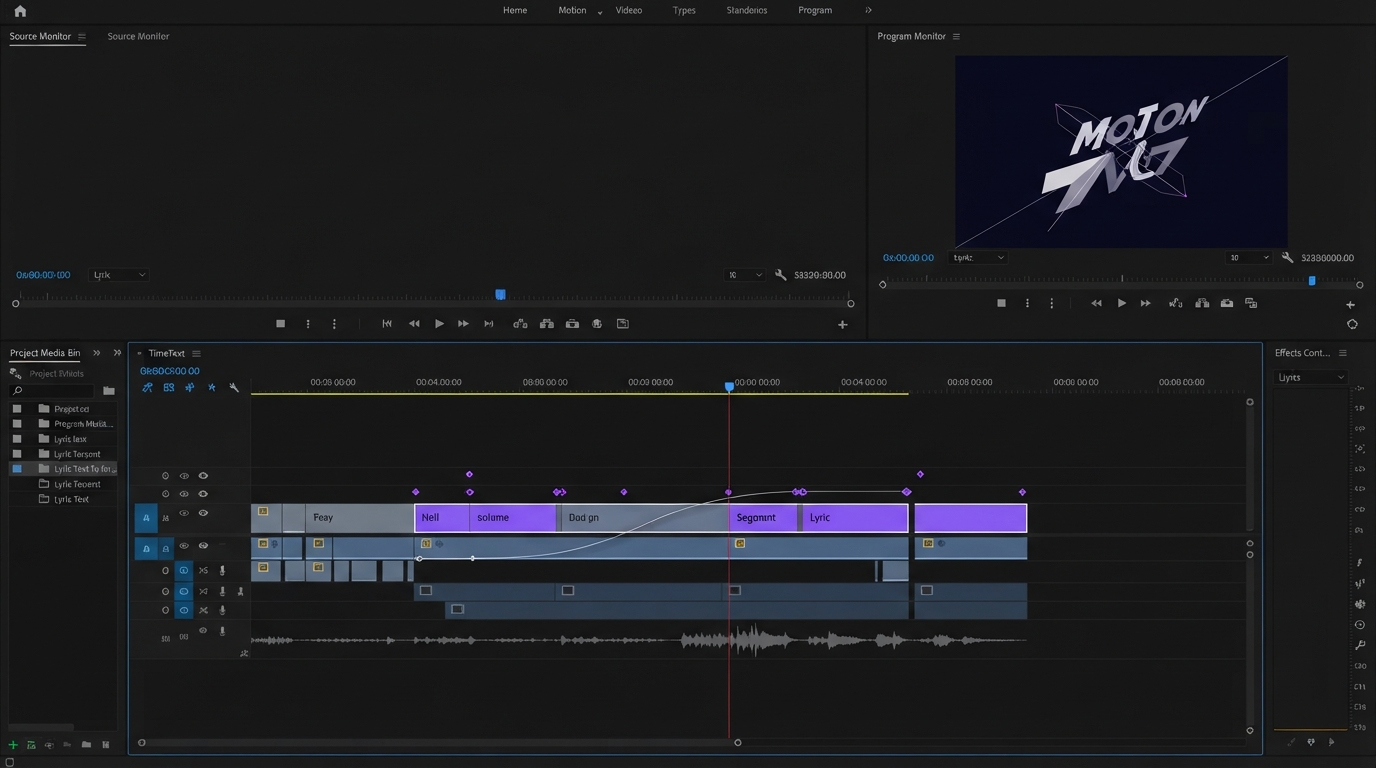
Drop Claude's SRT onto a caption track and restyle it rather than retyping it, then check line breaks against the safe area in vertical. Claude writes caption copy well and knows nothing about where the text sits. Adding subtitles to the video as a real layer, instead of burning them in at export, keeps the copy editable when you cut another twenty seconds out.
Cover the cuts. Claude's picks will leave visible jumps between sentences pulled from different parts of a take, and the fix is the same as it has always been, which is a b roll layer over the seam or a scale push on the cut. This is also where a browser based editor earns its place, because the agent side of the work happens in a browser tab anyway and you avoid bouncing files to a desktop install.
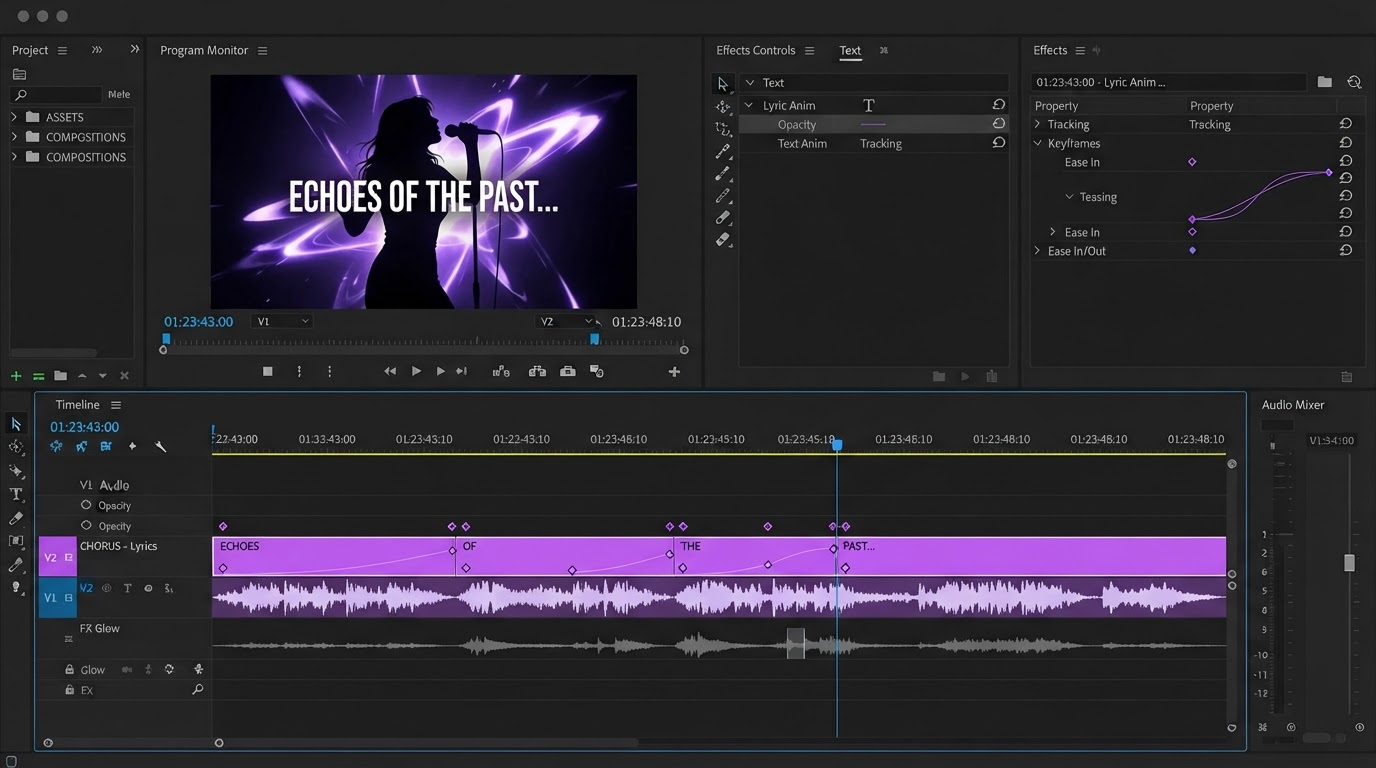
Then the motion: title in and out timing, easing on the logo sting, the keyframes that make a static screenshot feel alive. Agents can set keyframes for you, but they should hand back layers and curves you can adjust, not a baked file. That distinction is the difference between an assistant and a black box.
If your project starts with generated footage rather than filmed footage, push the same prompt first habit one step upstream. A visual AI workflow builder chains the model calls that produce your clips, avatars, or product shots before anything reaches the timeline, so Claude is reasoning about assets that already exist instead of describing ones you still have to make by hand.
Where the handoff usually breaks
Four failure modes account for most of the frustration.
Timecode drift. Claude quotes timecodes from the transcript, and if the transcript was made from a proxy with a different start frame, every number is off by the same amount. Check one cut point manually before you trust the rest.
Cuts that land on breath. Word level timings help, but Claude has no sense of rhythm, so it will cut the instant a word ends. Nudge the outs by a few frames or the dialogue sounds clipped.
Confident invention. Ask for a quote and Claude may tidy the grammar, which means the caption no longer matches the audio. Always diff the SRT against the transcript, never against memory.
Ratio blindness. A cut that reads fine in 16:9 can put the subject's face behind a caption block in 9:16. Do the reframe pass yourself, then use the same source for every version so the collaborative edit stays in one place instead of forking into three projects.
Frequently asked questions
Can Claude edit a video by itself?
No. Claude has no media access, no timecode, and cannot write a sequence file on its own. It edits only when connected through an MCP server or plugin that holds the footage and executes the operations it requests.
What is the best way to connect Claude to an editor?
An MCP connector to a service that already holds your transcribed media is the lowest friction option, because the picks map straight back to clips. Claude Code with ffmpeg gives more control if you are comfortable in a terminal and working on copies.
Does Claude write usable subtitles?
Yes, and it is one of the strongest parts of the workflow. It matches the trimmed cut rather than the raw file and handles line breaks reasonably. Verify the wording against the audio, since it sometimes smooths grammar.
Can it do motion graphics?
Not visually. It can describe an animation, write the copy, and call a tool that sets keyframes, but it cannot judge easing, spacing, or whether a title collides with the subject. Keep that pass manual, or use templates so the motion is already art directed. Our notes on AI video effects cover which effects survive an agent driven pass.
Do I still need an NLE?
For finishing, some form of timeline yes. What changes is where the hours go. The selection and captioning work shrinks, and the time you save goes into framing, motion, and versioning, which is the part viewers actually notice.
The takeaway
Connecting Claude to video editing is worth doing, as long as you connect it to the right half of the job. Give it the transcript, ask for a decision list, and keep the picture work. Set the connection up once, then judge it on how quickly you reach the version of the cut worth polishing.
Founder of Motionbox and Gluely. Building tools for creators.